

Press this button to invite your teacher.
このボタンを押してください。
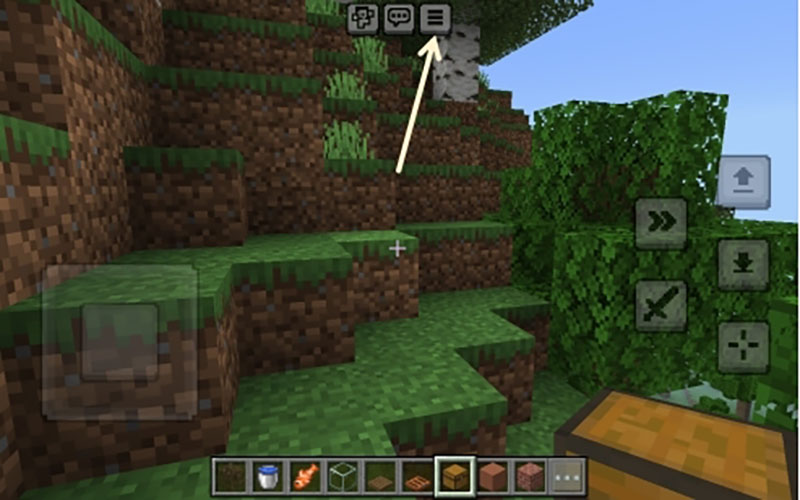
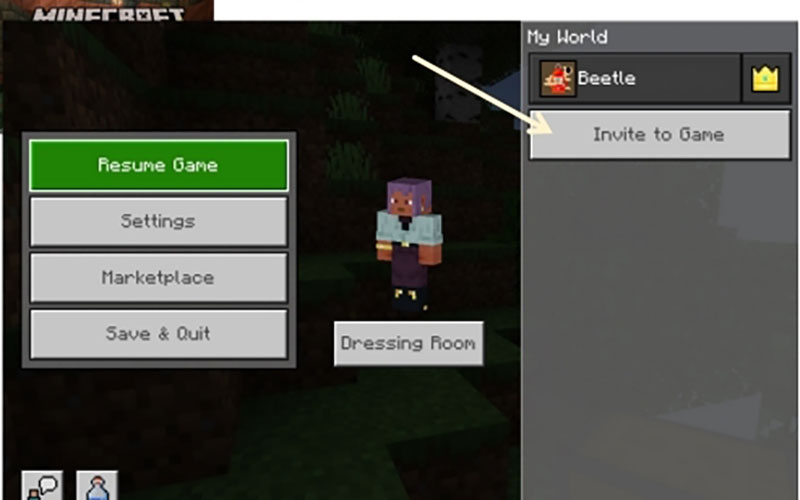
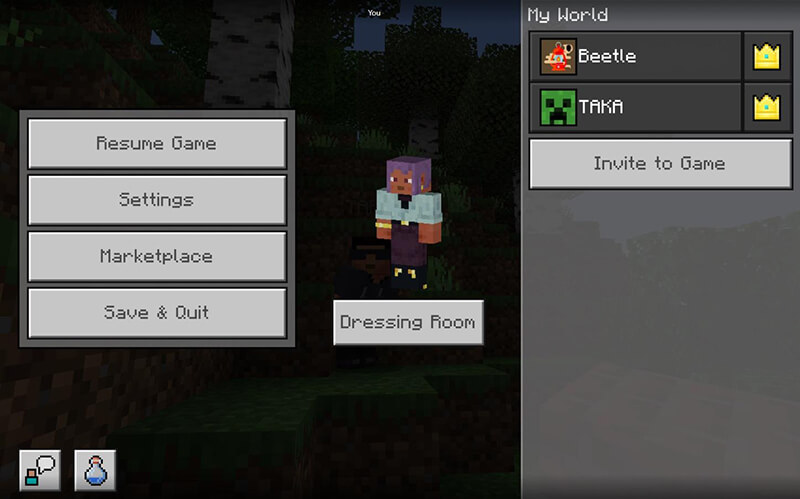
Press the 'Invite to Game' button.
'ゲームに招待' ボタンを押してください
After pressing the 'Invite to Game' button, check your teacher's gamer tag and press the 'Send Invite' button.
'ゲームに招待' ボタンを押した後、先生のゲーマータグにチェックを入れて、'招待を送信' ボタンを押してください。

Then you can see your teacher's gamer tag here.
ここに先生のゲーマータグが表示されます。
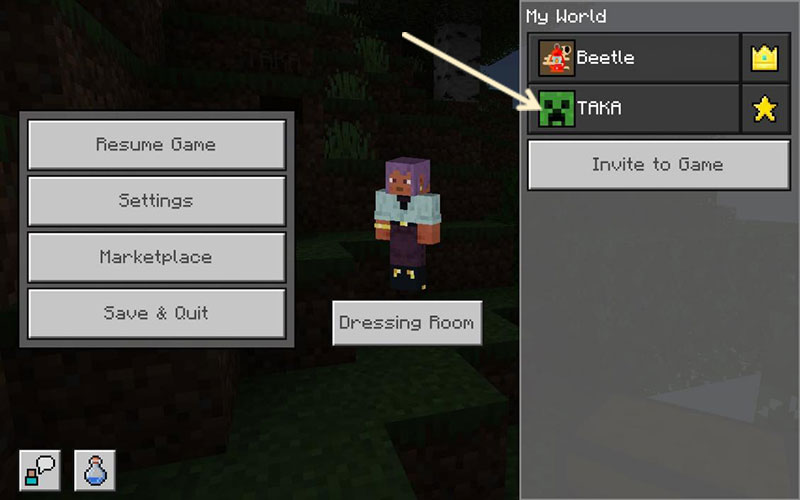
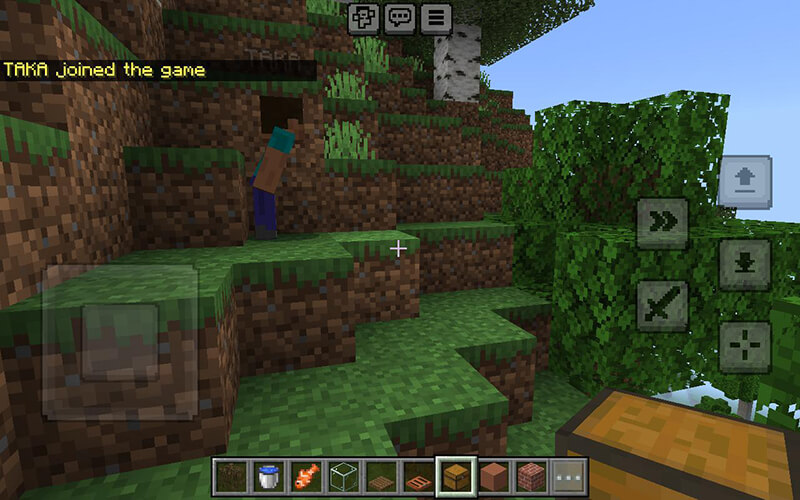
After inviting your teacher, you will see a star and a crown beside your gamer tags. The crown indicates an Operator, and the star indicates a Member.
先生を招待すると、ゲーマータグの横に王冠が表示されます。王冠は管理者(オペレーター)を示し、星はメンバーを示します。
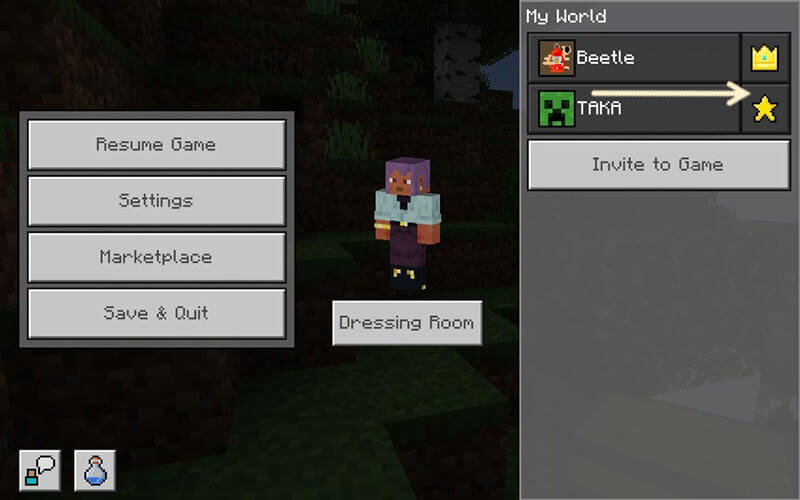
Press the Star icon.
星のアイコンを選択してください。
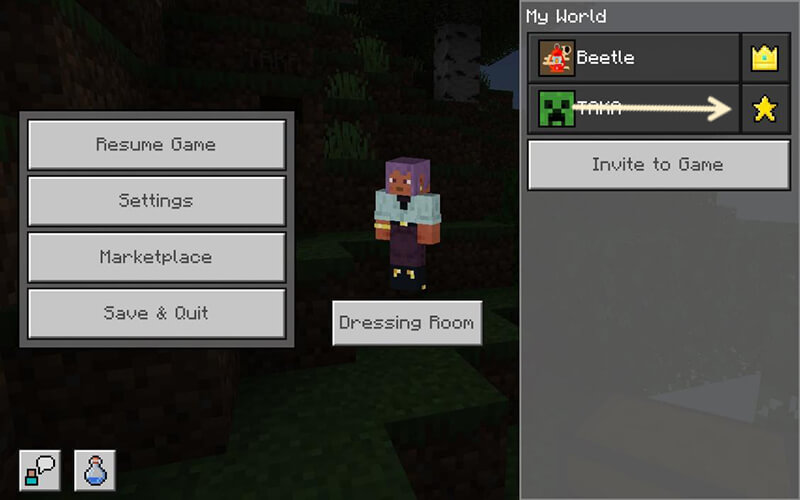
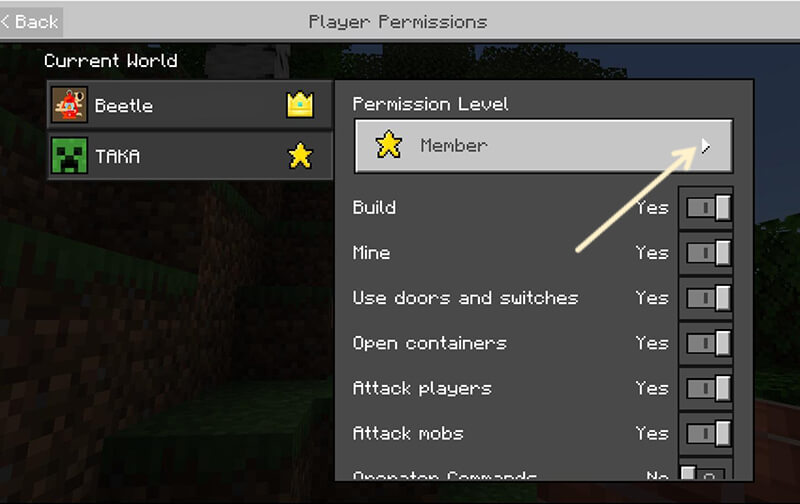
Then press the arrow key to make a selection.
次に、矢印キーを押して選択してください。
Then press the Operator option that has a crown.
王冠がある管理者(オペレーター)を選択してください。
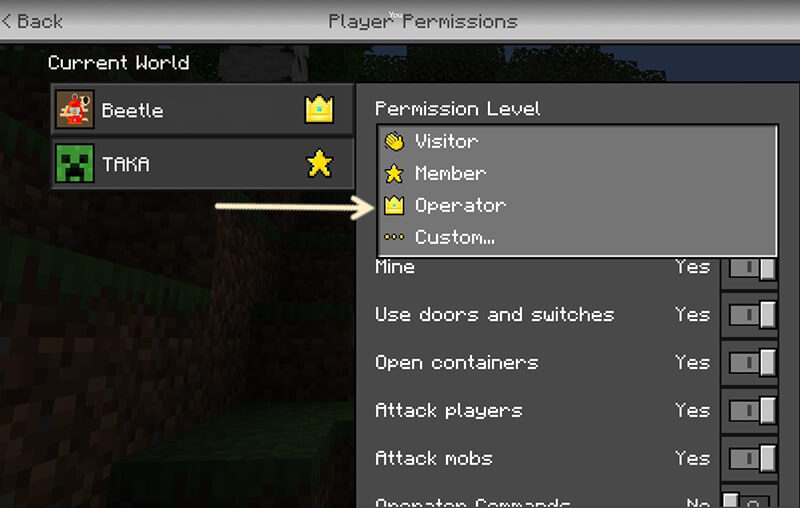
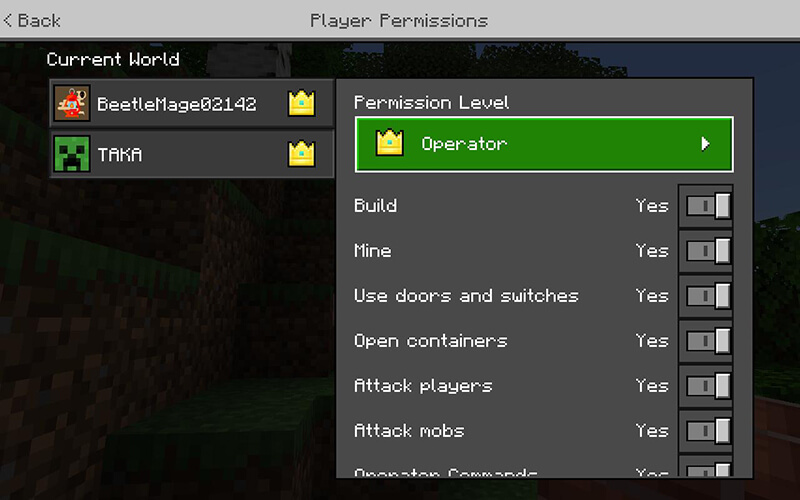
Finally, you and your teacher are now both operators! これで先生を管理者(オペレーター)に出来ました。


 LINEで相談